For teachers
Give every child in your class one-to-one time.
You set the work. Each child practices it at home with a patient voice tutor that asks before it tells. You see who got it and who needed help.
Free for teachers. No card needed.
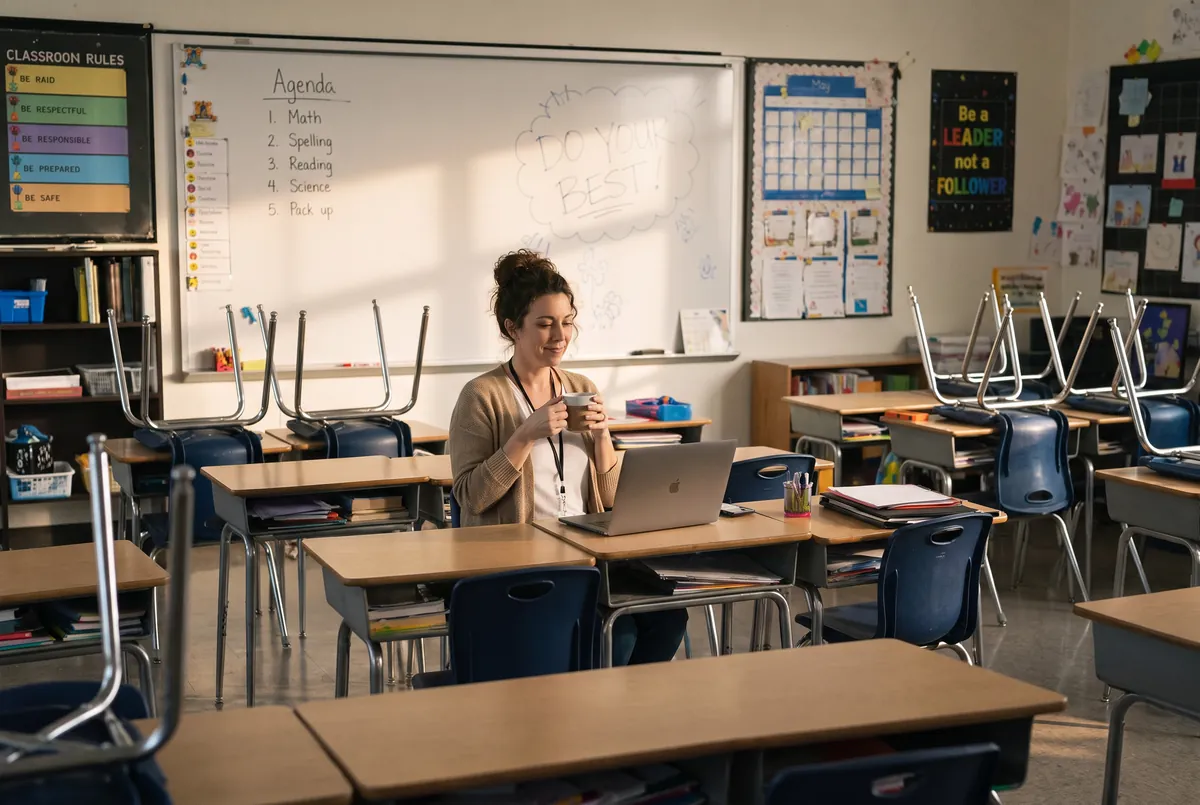
You know which child needed more time. You just can’t give it to thirty at once.
That is a limit of the classroom, not of the teacher. One-to-one questioning used to mean a private tutor. With SyncSpark, every child in your class gets it, on the work you set.
What SyncSpark teaches
Children don’t need faster answers. They need better thinking habits.
The subject is the tool, thinking is the goal. A spelling list, a math worksheet, a question about volcanoes: whatever you set, the tutor asks and each child works it out, one question at a time. It’s the Socratic method, and it’s how children learn how to learn.
What each child practices, every session
- Noticing what doesn’t make sense yet
- Asking a better question
- Trying an idea and testing it
- Explaining it in their own words
How it works
You set the work. SyncSpark gives each child the time.
- 1
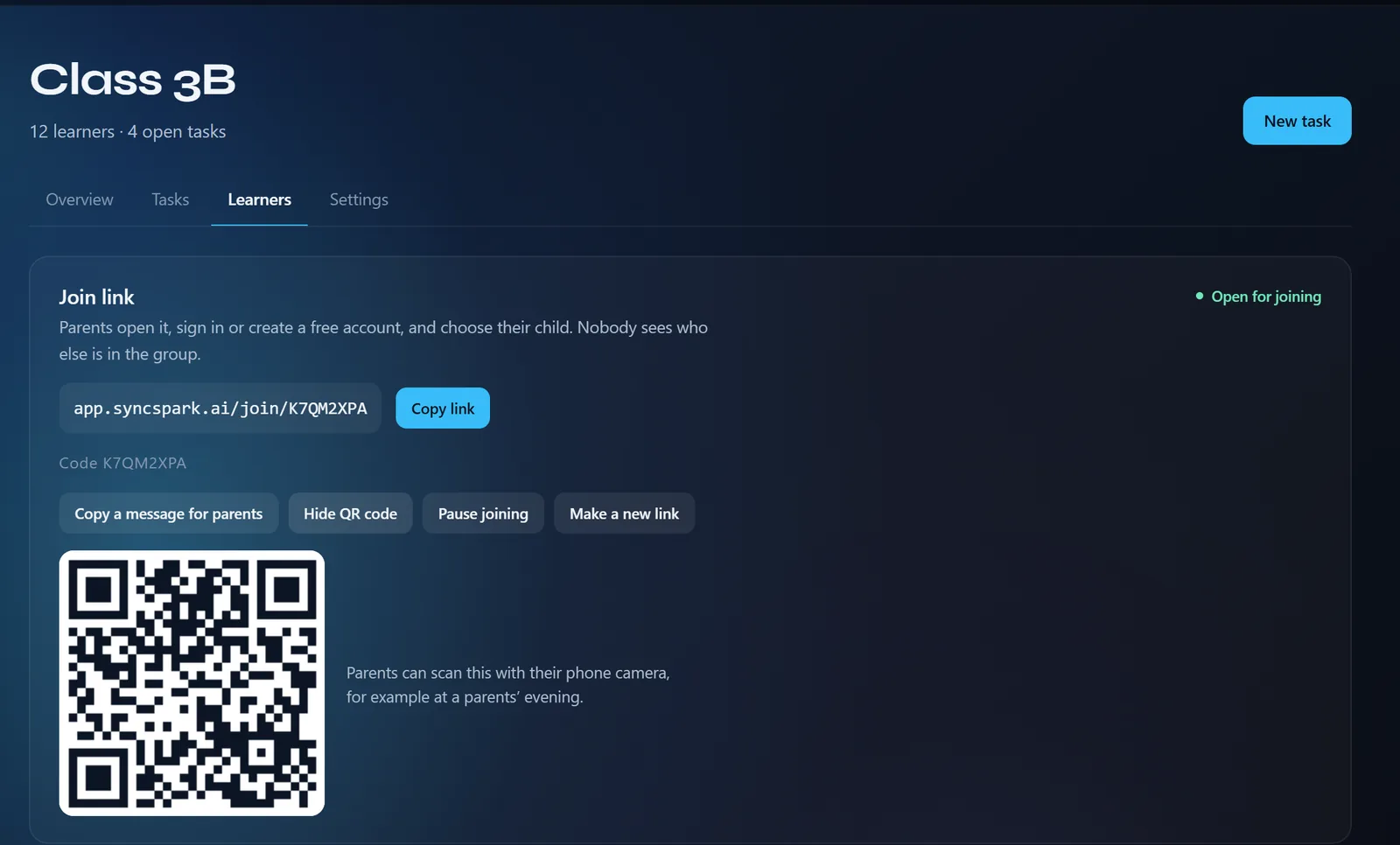
Share one link with parents.
Parents open the link, or scan the QR code at a parents’ evening, and choose their child. Nobody sees who else is in the group.
- 2
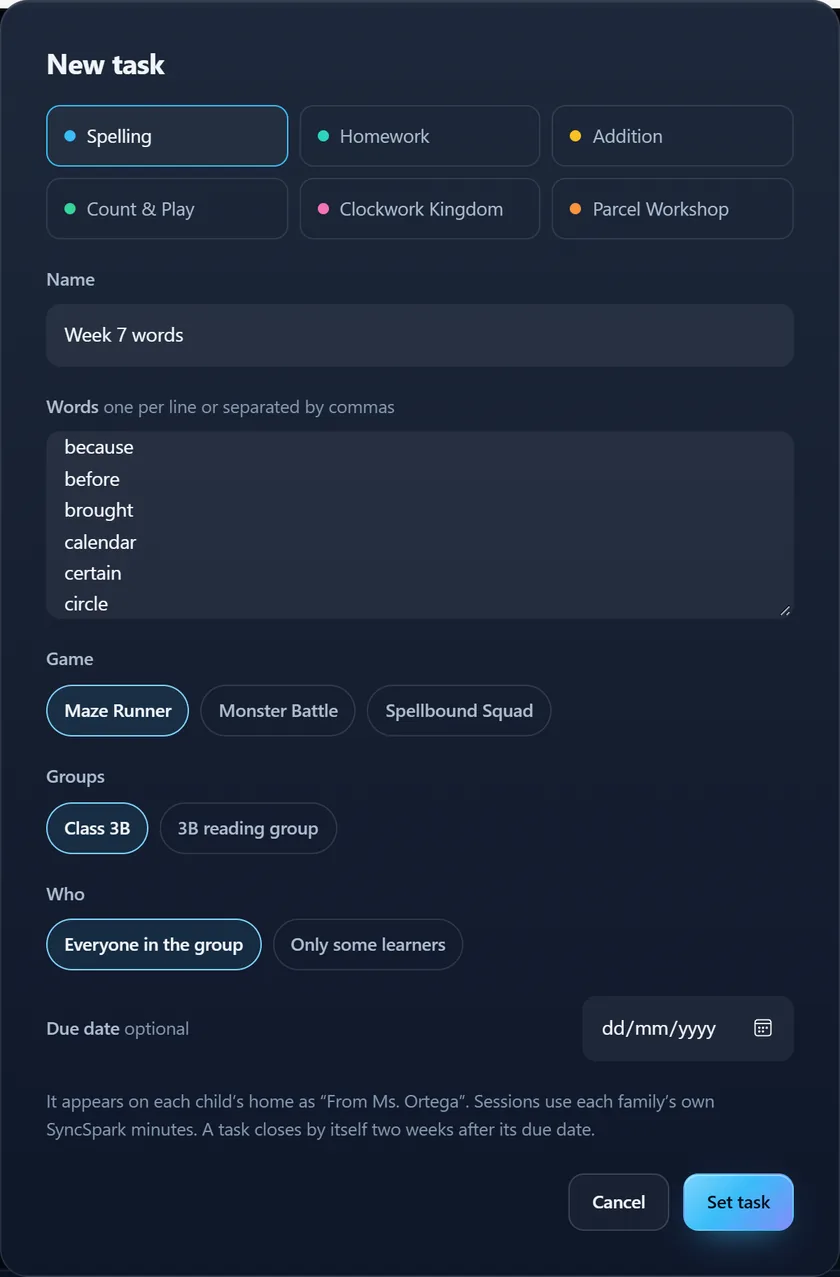
Set the work.
A spelling list, a worksheet, sums or telling the time. It appears on each child’s home with your name on it.
- 3
See who needs you.
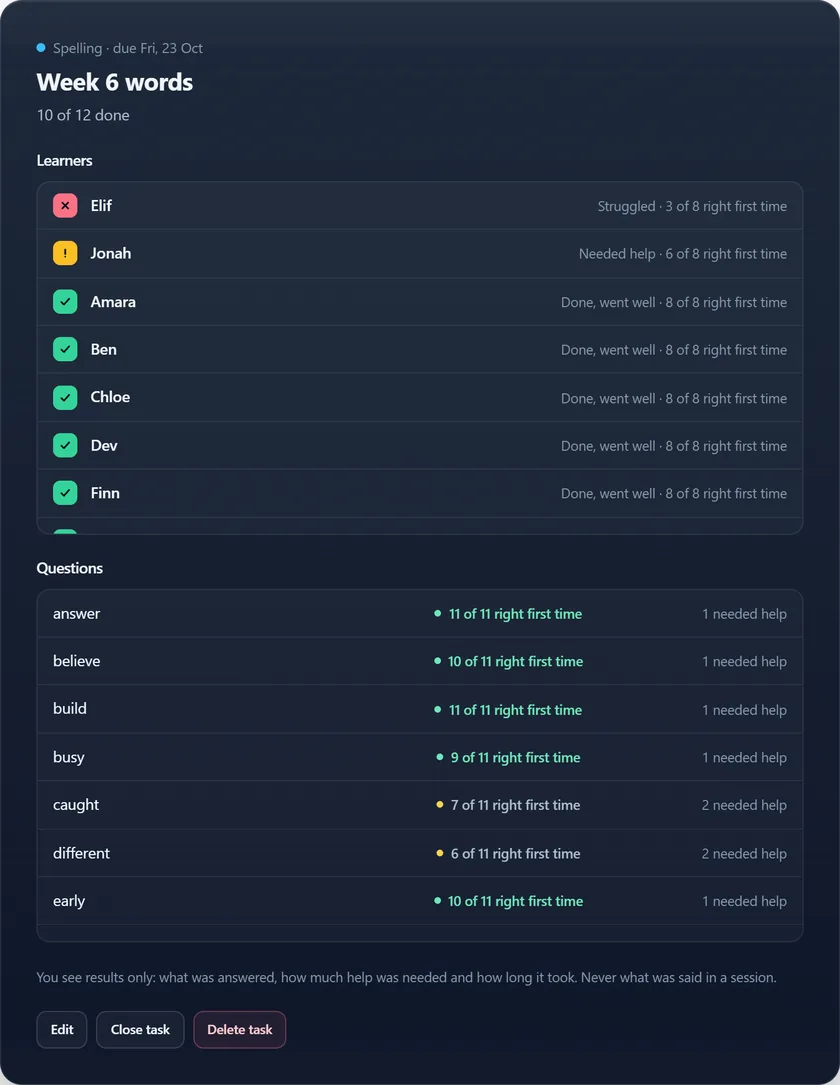
One grid for the whole class: who went well, who needed help, who struggled. Open a task to see which questions tripped them up.
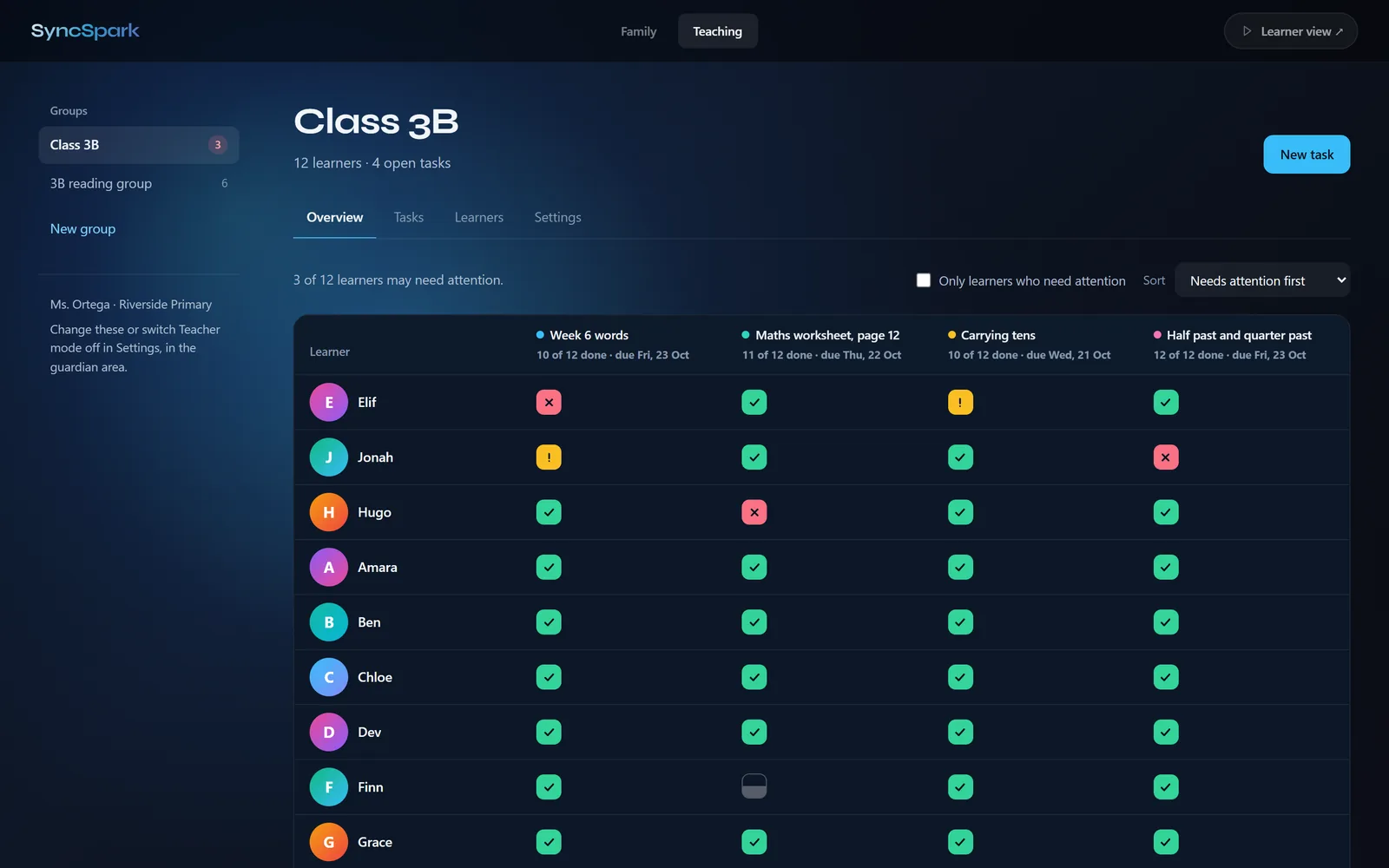
Real screens from Teacher mode, with a made-up class.
What you see
Results, not conversations.
- Results only. What was answered, how much help was needed and how long it took.
- Never the conversation. You don’t see what was said in a session, sessions a family starts at home, or anything they share privately.
- Parents stay in charge. A parent can leave the group at any time, and their child’s results leave with them.
Free for teachers
Try it with your class.
Teachers use SyncSpark for free. Each family’s sessions use their own SyncSpark minutes, and a new family account starts with 30 free minutes.
Set up your class